
How to Enable Family-Friendly Content for Ads?
Family-Friendly Content is an optional ad setting designed for specific situations where stricter content control is required.
This feature is intended for parents, teachers, or schools that need to limit exposure to certain ad content. For most users, the default ad experience is appropriate, and enabling this setting is not́ not necessary unless you have specific needs.
What is Family-Friendly Content?
Family-Friendly Content applies additional filtering to help reduce ads that may not be suitable for family or classroom environments.
This setting is recommended only if:
- The app is used by children
- The device is shared in a family or educational setting
- Stricter content standards are required
If these situations do not apply, we recommend keeping this setting turned off.
How to enable or disable Family-Friendly Content?
-
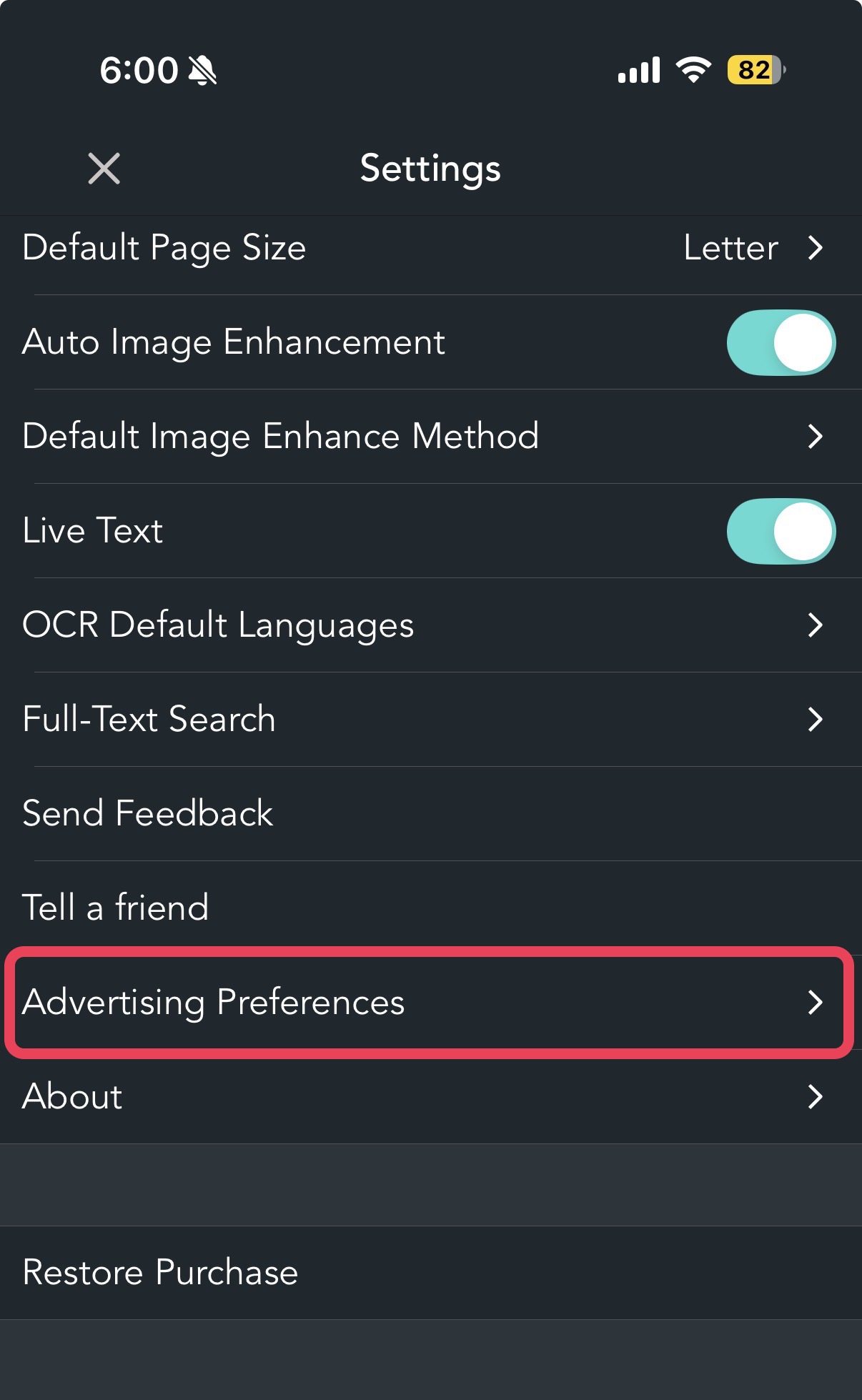
Open the app and go to Settings.

-
Select Advertising Preferences.
-
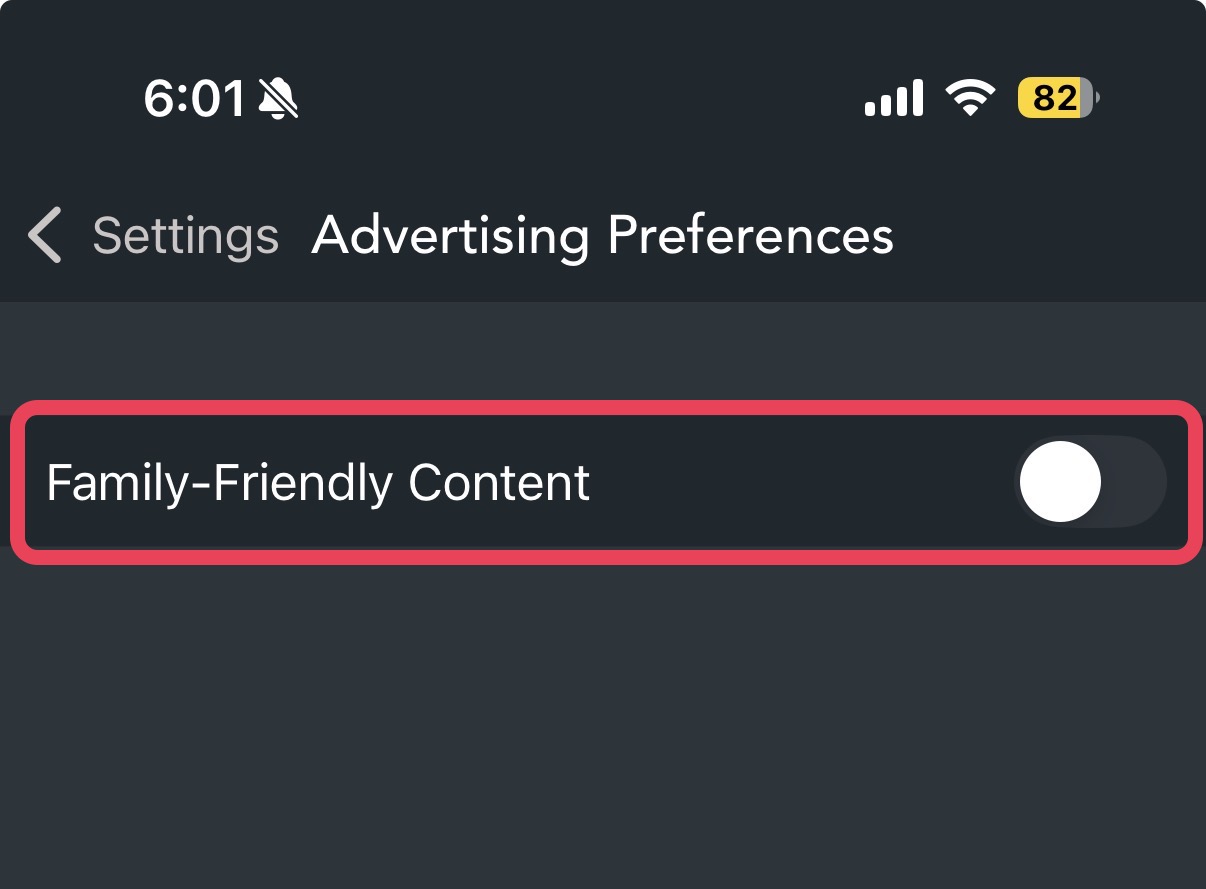
Toggle the switch "Family-Friendly Content" to ON.

Frequently Asked Questions
Q: Will ads still appear when this setting is enabled?
A: Yes. Ads will continue to appear, but with additional content filtering applied.
Q: Does this setting block all inappropriate ads?
A: No. While this setting helps reduce unsuitable ads, it cannot guarantee that all such ads will be completely blocked.
Q: Who should use this setting?
A: This setting is intended for parents, teachers, or organizations managing shared devices or educational environments.
Your Safety is Our Priority We are committed to maintaining a safe and welcoming environment. If you have any questions or need to report an ad, please contact our support team anytime.