
How to Enable Family-Friendly Content for Ads?
Want a more secure environment for your family? Our Family-Friendly Mode is a smart content control feature designed to filter out sensitive ads, giving you and your loved ones peace of mind while using the app.
Why Enable Family-Friendly Mode?
- Safe for Sharing: Perfect for when you share your device with children or family members.
- Filters Sensitive Content: Automatically reduces exposure to adult, violent, or age-inappropriate ads.
- A Comfortable Environment: Tailored for users who prefer a cleaner, more professional app experience.
3 Simple Steps to Enable It
You can toggle this feature on or off at any time. Changes take effect instantly without needing to restart the app:
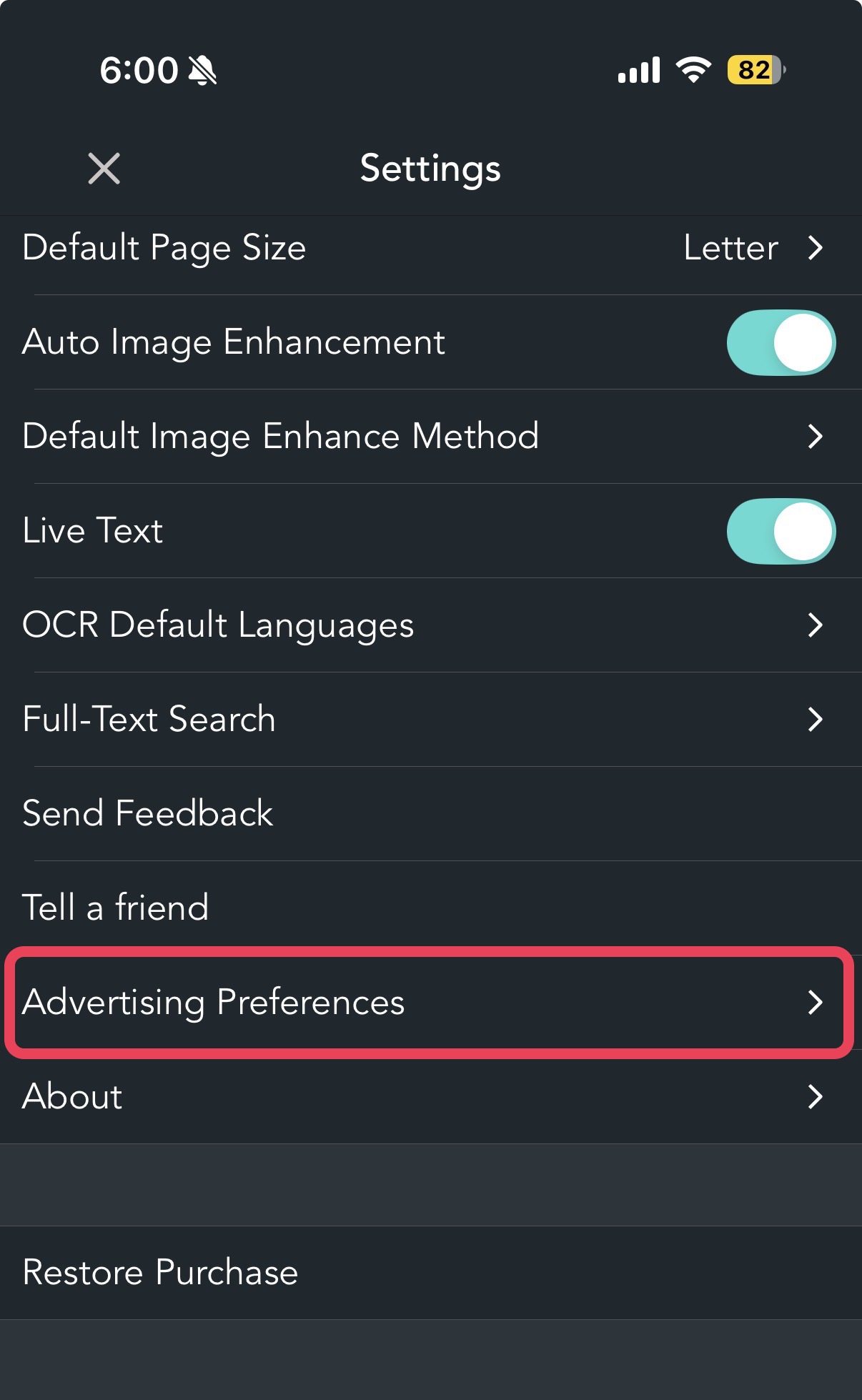
Open the app and go to Settings.

Select Advertising Preferences.
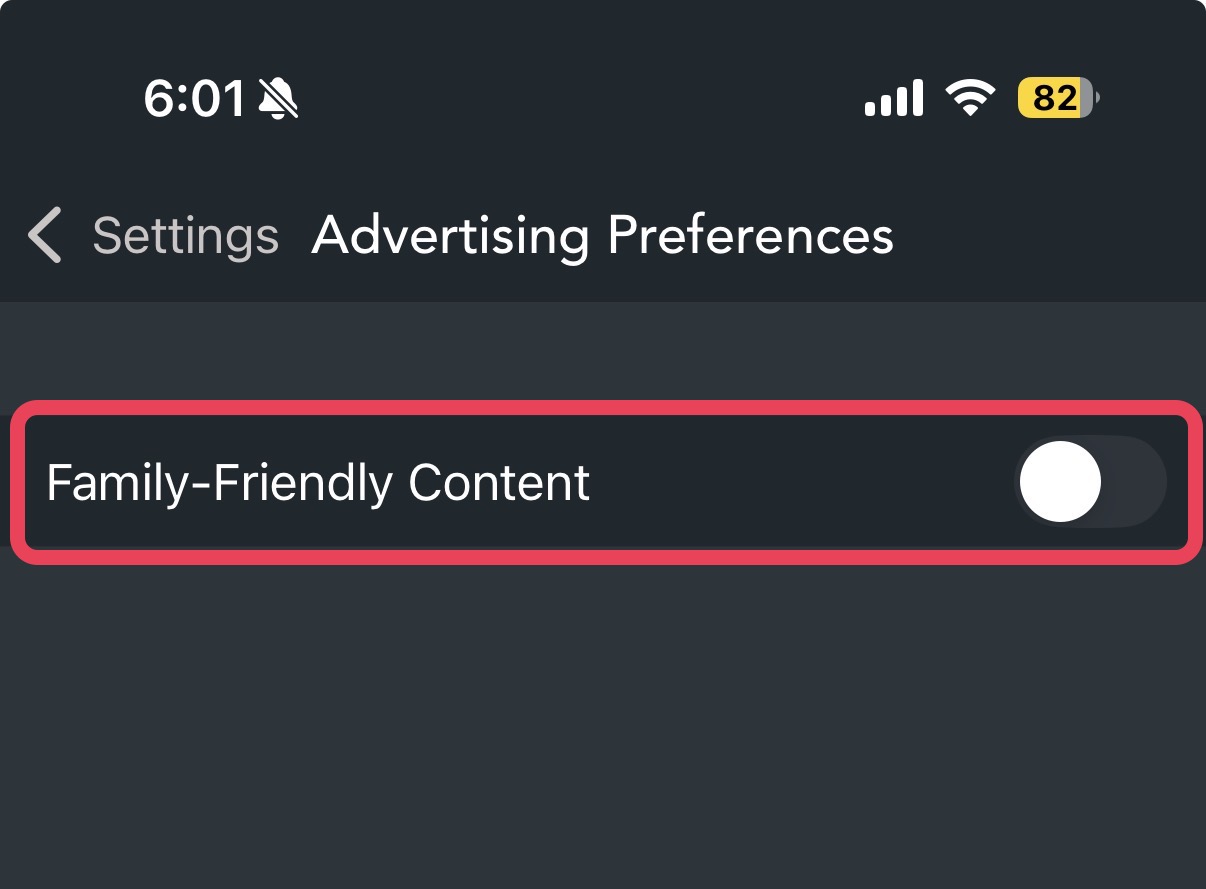
Toggle the switch "Family-Friendly Content" to ON.

Frequently Asked Questions
Q: Will ads disappear once this is enabled? No. You will still see ads, but our system will prioritize content that is rated safe for all ages and general audiences.
Q: Does it guarantee 100% protection? While we apply strict filters using industry standards, no automated system is perfect. If you encounter an ad that feels out of place, please use the "Report" button to help us improve.
Q: Who should use this mode? It’s ideal for parents, educators, or anyone who values a safer and more family-oriented digital space.
Your Safety is Our Priority We are committed to maintaining a safe and welcoming environment. If you have any questions or need to report an ad, please contact our support team anytime.